Mantrika Tools: all-in-one REAPER extension for game audio – 25+ tools, 100+ actions
Hi everyone, I'm the developer of Mantrika Tools.
Mantrika Tools is a native REAPER extension built for game audio and sound design, available for Windows and macOS.
Website: https://mantrikasound.com/
I'm a game sound designer and have been using REAPER for quite a few years now, always tinkering with and refining my workflow. The REAPER community is incredibly rich, and I've benefited a lot from countless Lua and Python scripts over the years. At some point, building my own set of tools just felt like the natural next step.
I wanted my tools to feel like one consistent, well-organized whole, with solid performance and a smooth UI. SWS showed me what a native extension can do, and that's how this project started.
A few highlights:
Fully native: just a single dll/dylib, with no dependency on any other extension or script
Native C++ UI that stays fast and responsive
Easy to install via ReaPack or a single terminal command
Frequent updates (changelog: https://mantrikasound.com/guide/changelog.html)
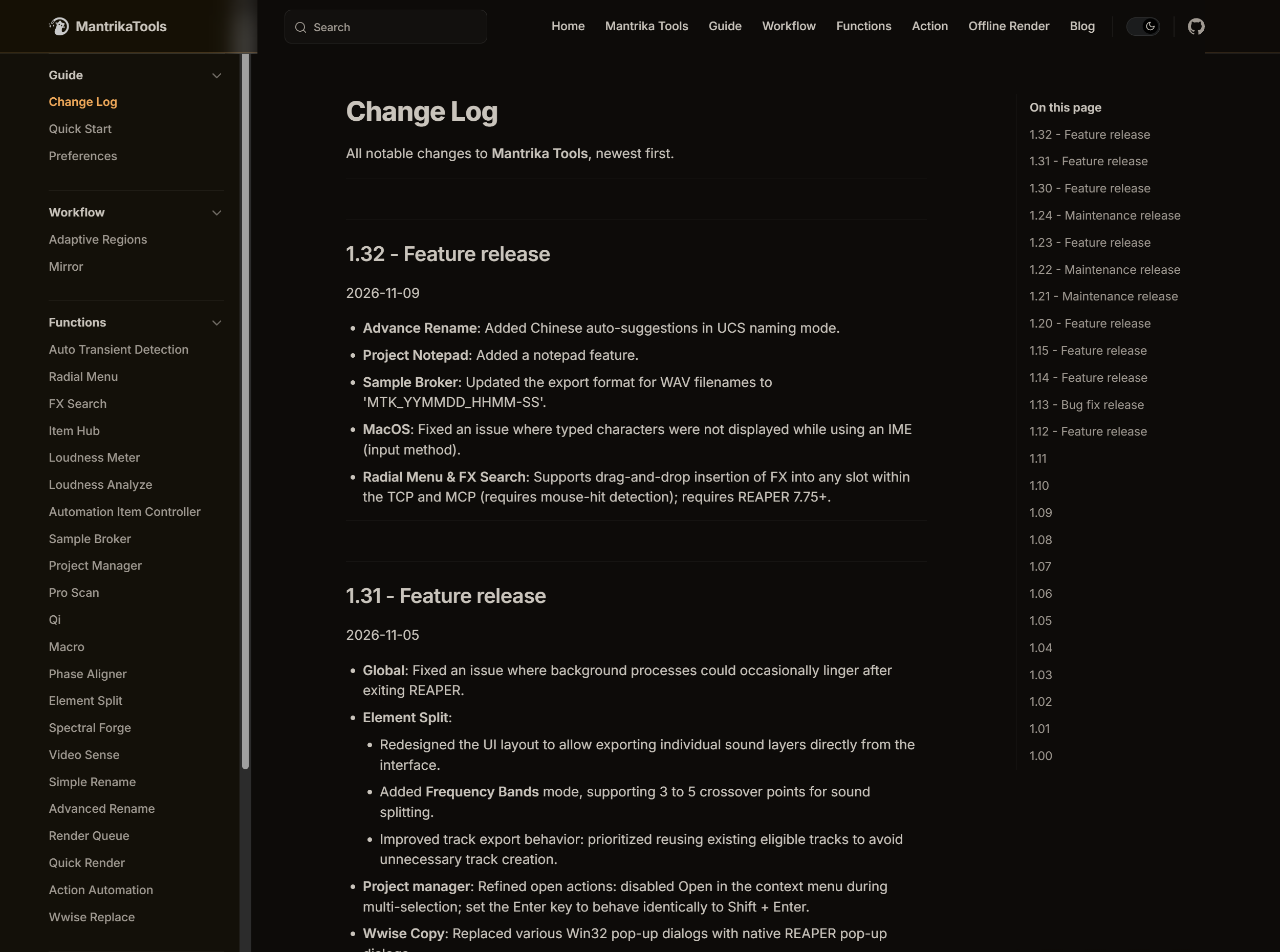
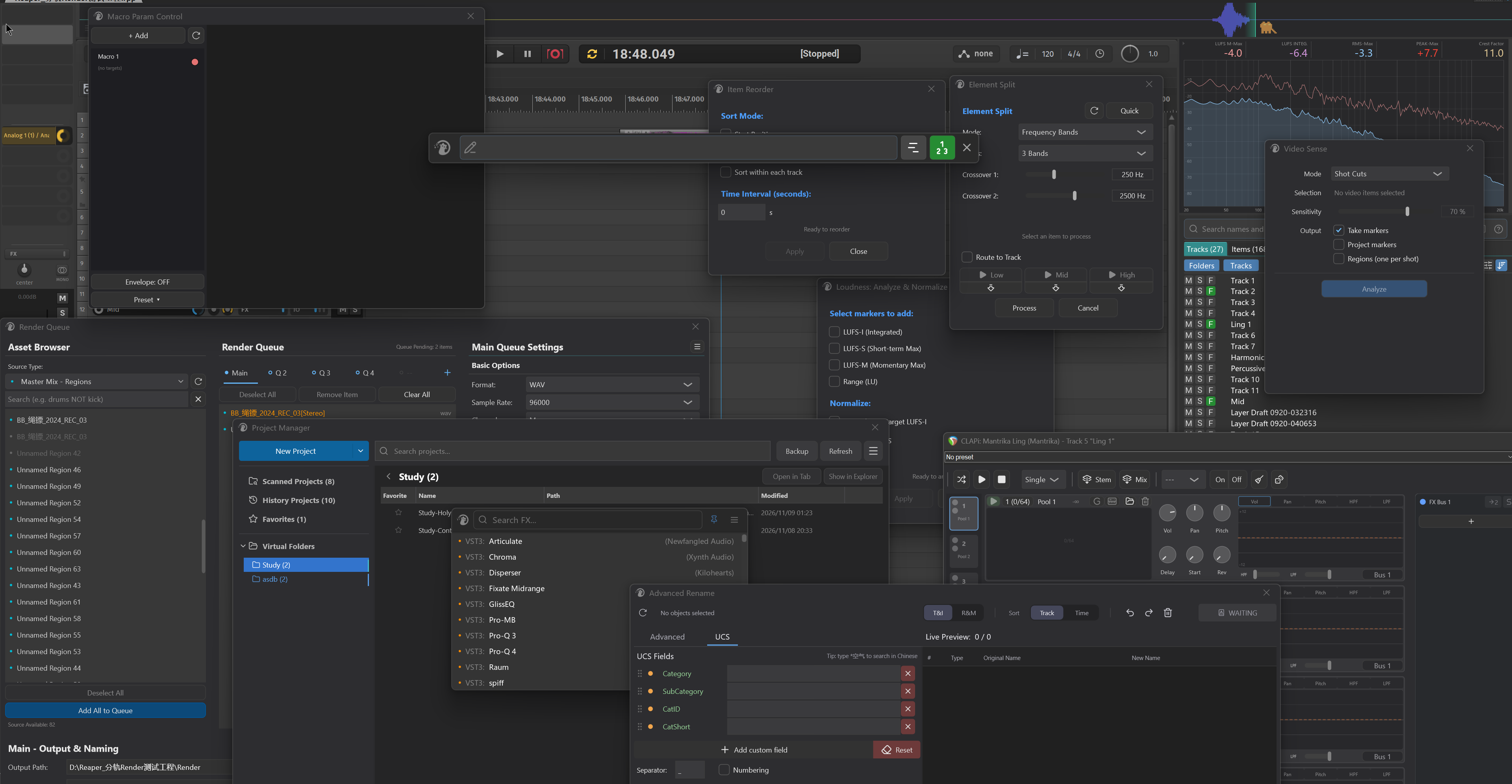
There's quite a lot in it, so here are just some of the features: Render Queue, Sample Broker, Radial Menu, Element Split, FX Search, Project Manager, batch renaming, Wwise Replace, Adaptive Regions, Mirror, a CLAP sampler, and more. The full list is in the docs.
Documentation: https://mantrikasound.com/guide/quick-start.html
It starts with installation, and the sidebar takes you to a detailed page for each feature. Things are moving fast, so some pages may lag behind a little. I'm working on keeping them up to date.
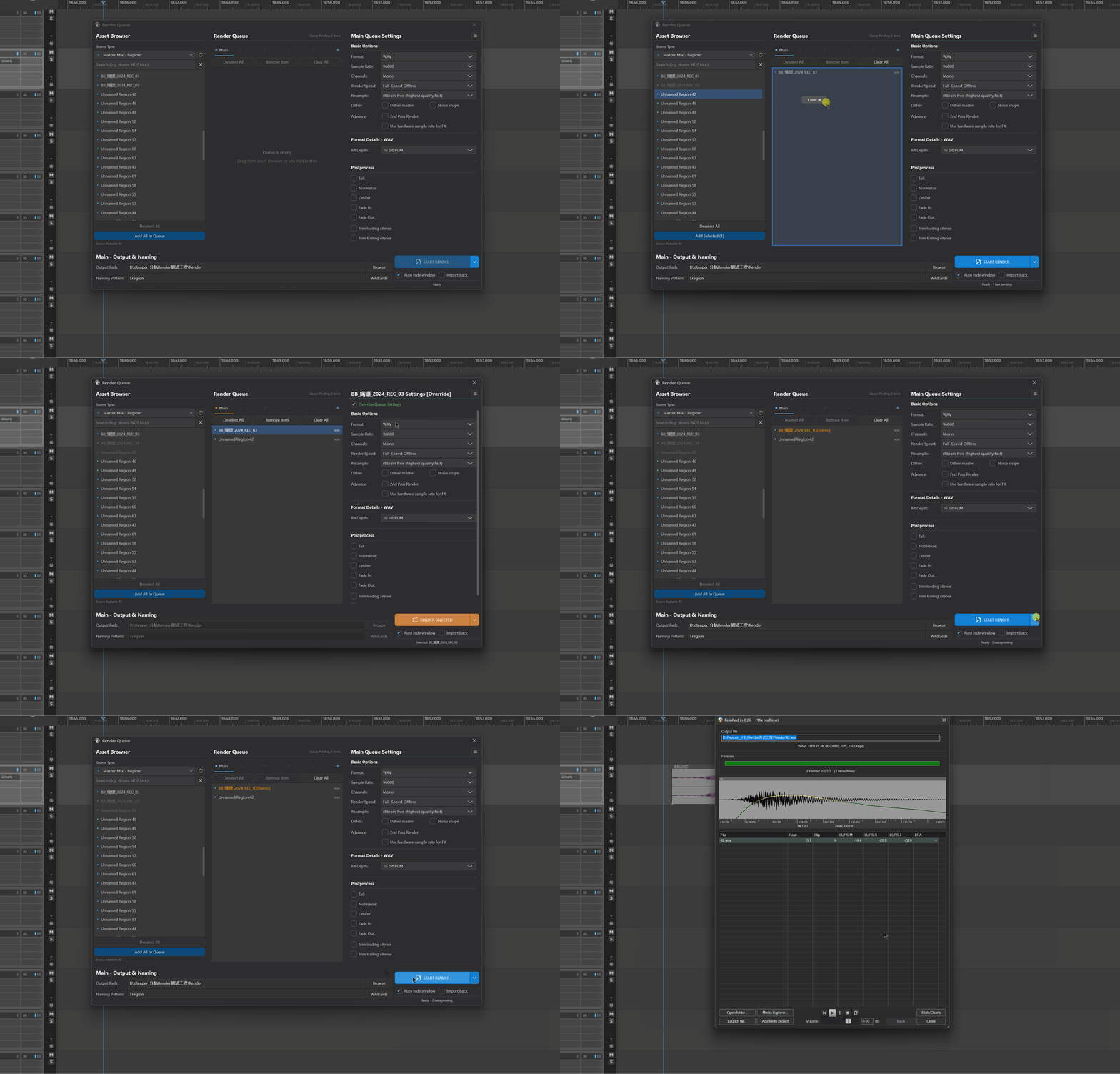
Render Queue
A queue-based rendering tool (up to 5 queues) that supports regions, items and a variety of export modes. Whether you want to export different channel configurations or formats at the same time, or render regions and items together, it can all be set up visually.
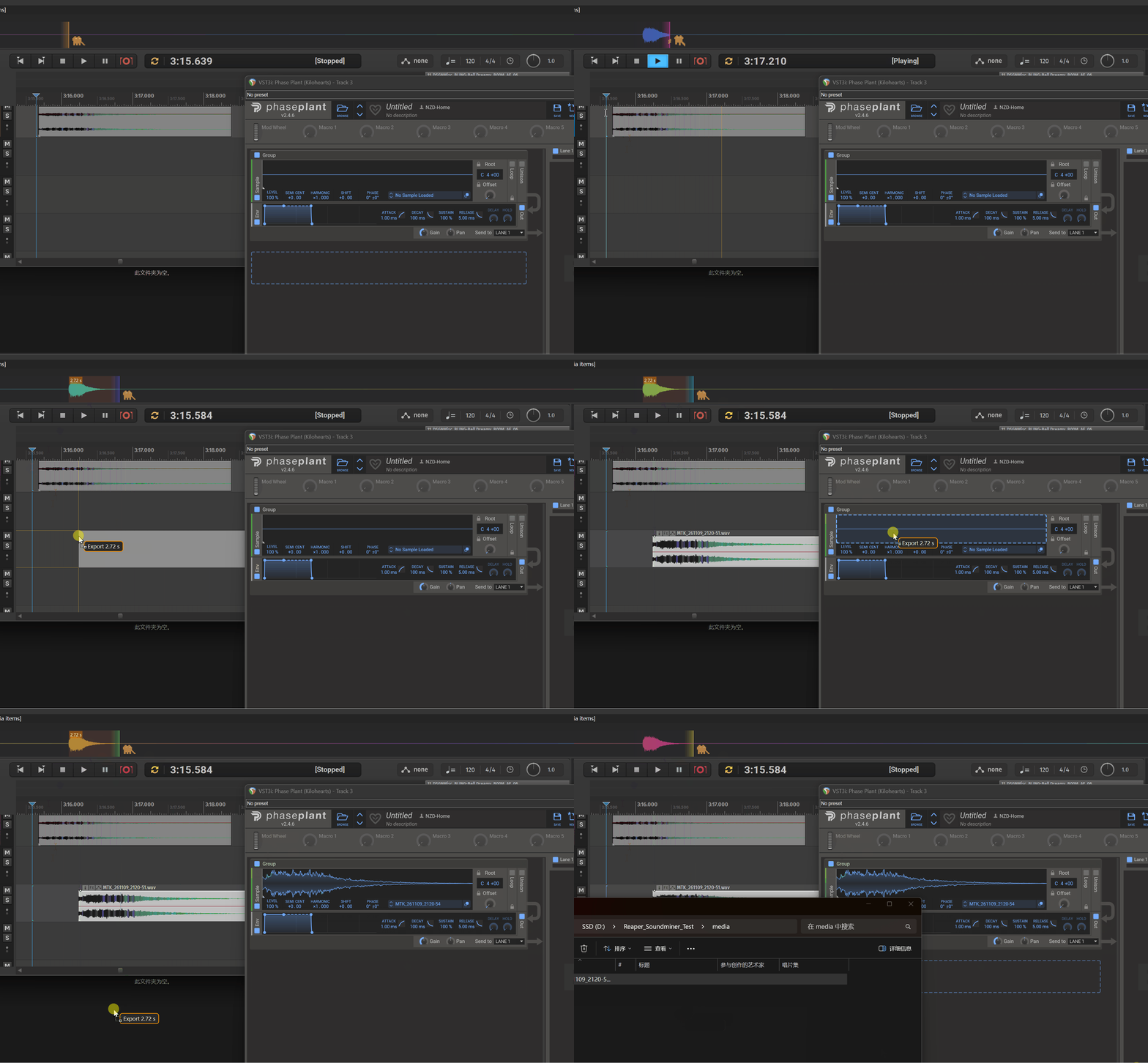
Sample Broker
It keeps recording whatever you play in the background, so you can grab what you just heard at any time. On top of that, I added system-level drag and drop: you can drag samples straight to your desktop, another sampler, a chat app, pretty much anywhere.
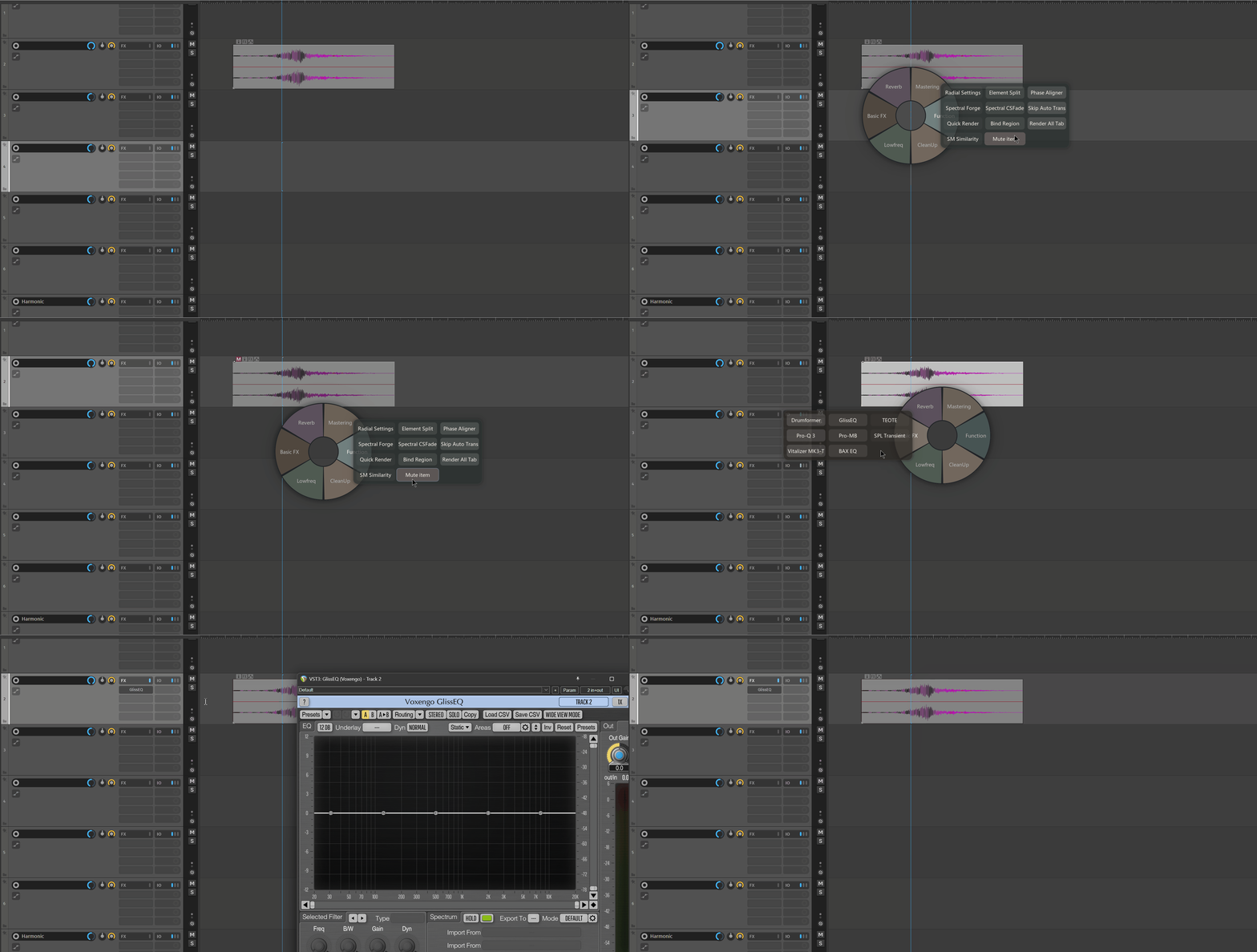
Radial Menu
A borderless radial menu that can hold actions, FX and track templates. Hold the shortcut to bring it up, release to dismiss.
Element Split
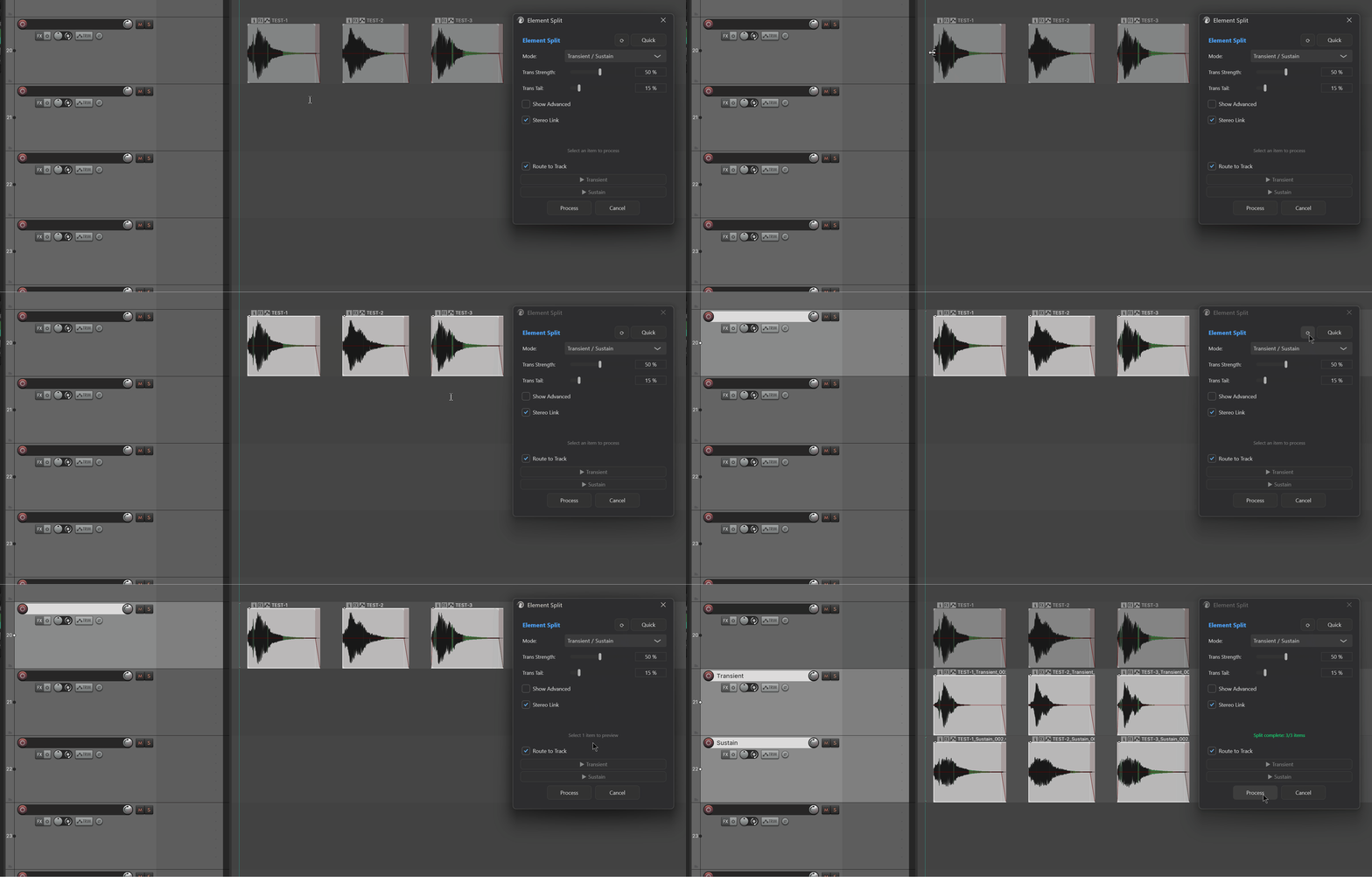
A DSP-based tool for splitting audio into components: transient/sustain, mid/side, tonal/noise, and multi-band splitting. The process is completely lossless, so the layers sum back into a perfect reconstruction of the original. Feel free to verify it with a null test.
CLAP Sampler
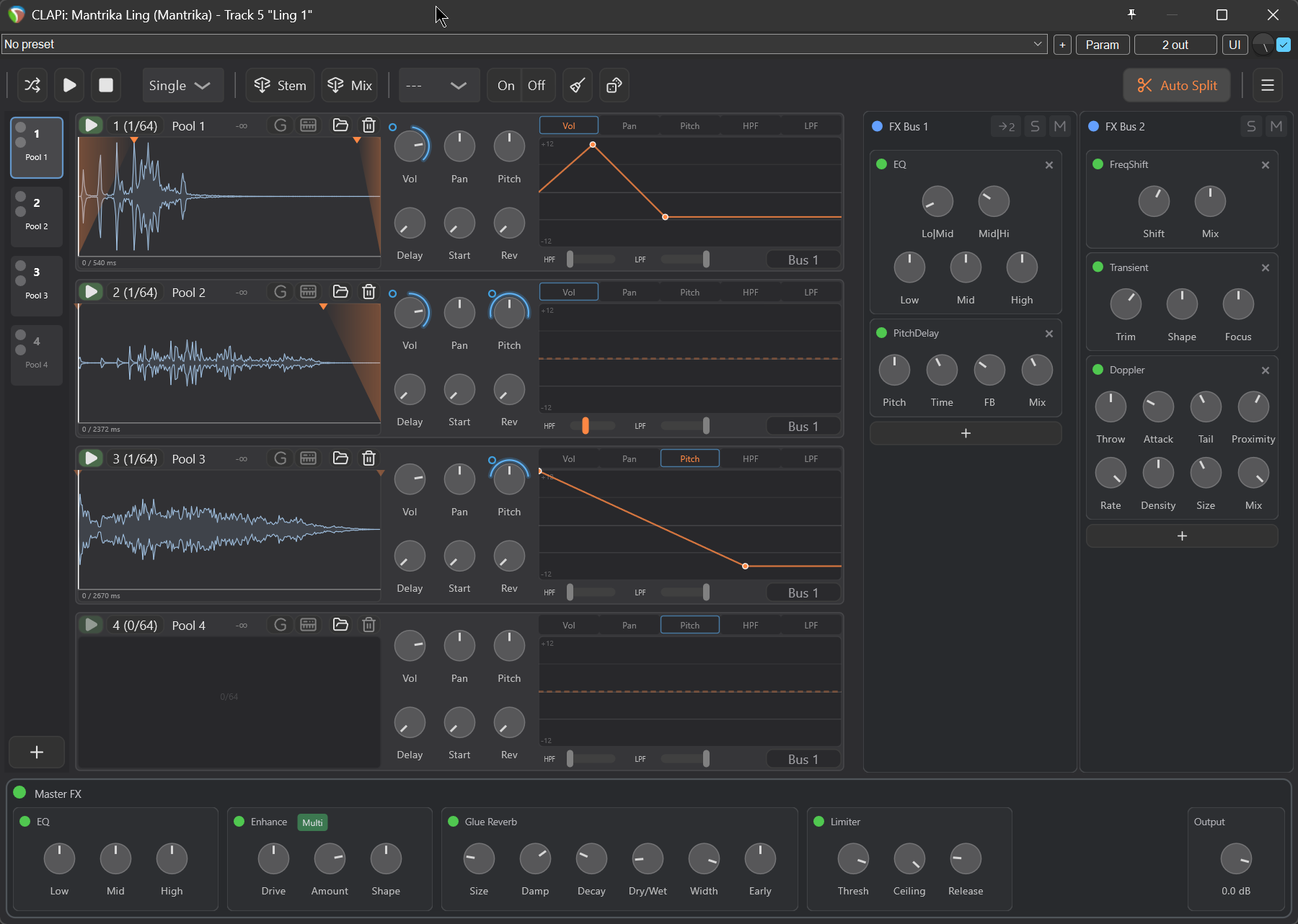
Load hundreds of samples at once, randomize parameters with a single click, and place the results into your REAPER project on separate tracks. It also comes with more than ten built-in effects to further shape the sound.
These are just a few of the features. Feel free to browse the docs and see if anything there could be useful to you
License & Trial
$79, one-time purchase
Each license can be activated on 3 computers, and you can deactivate a machine yourself at any time
All future updates included at no extra cost
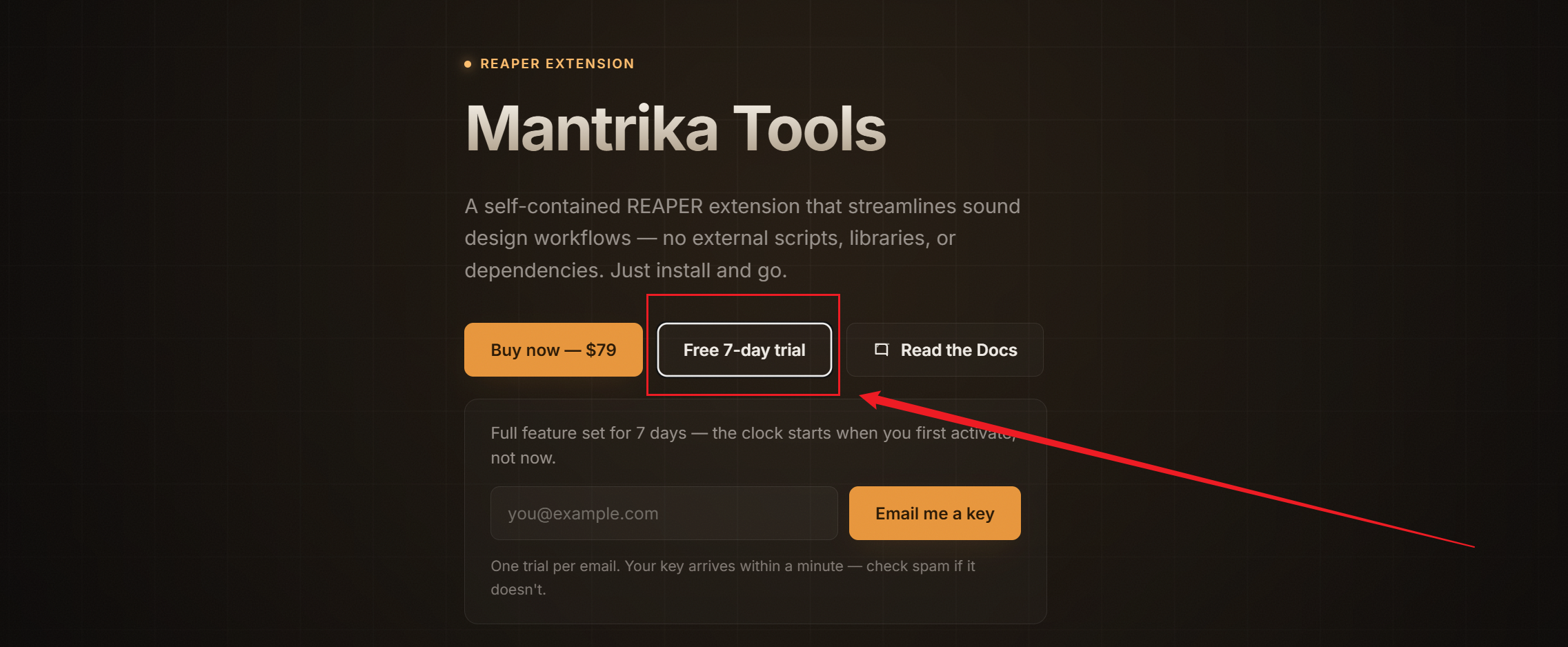
7-day free trial: just enter your email at https://mantrikasound.com/mantrika-tools.html and you'll automatically receive an email with full installation instructions
If 7 days isn't enough to properly evaluate it, just reach out and I'll happily extend your trial. As an independent developer, I can be flexible about this.
Your support goes directly into continued development, as well as covering server and licensing costs.
Bug reports, feedback and suggestions are all very welcome in this thread, and I'll keep an eye on it and reply here. Thanks for reading!